Duo Integration with SaaS Alerts
This article explains how to configure the Duo Admin API and connect Duo to SaaS Alerts to enable monitoring of Duo authentication and application access events.
Creating the Admin API application in Duo
The Duo Admin API is configured as an application in the Duo Admin Panel. SaaS Alerts uses this API to retrieve relevant authentication and access activity.
To create the Admin API application, follow these steps:
1. Log in to the Duo Admin Panel.
2. Navigate to Applications > Application Catalog.
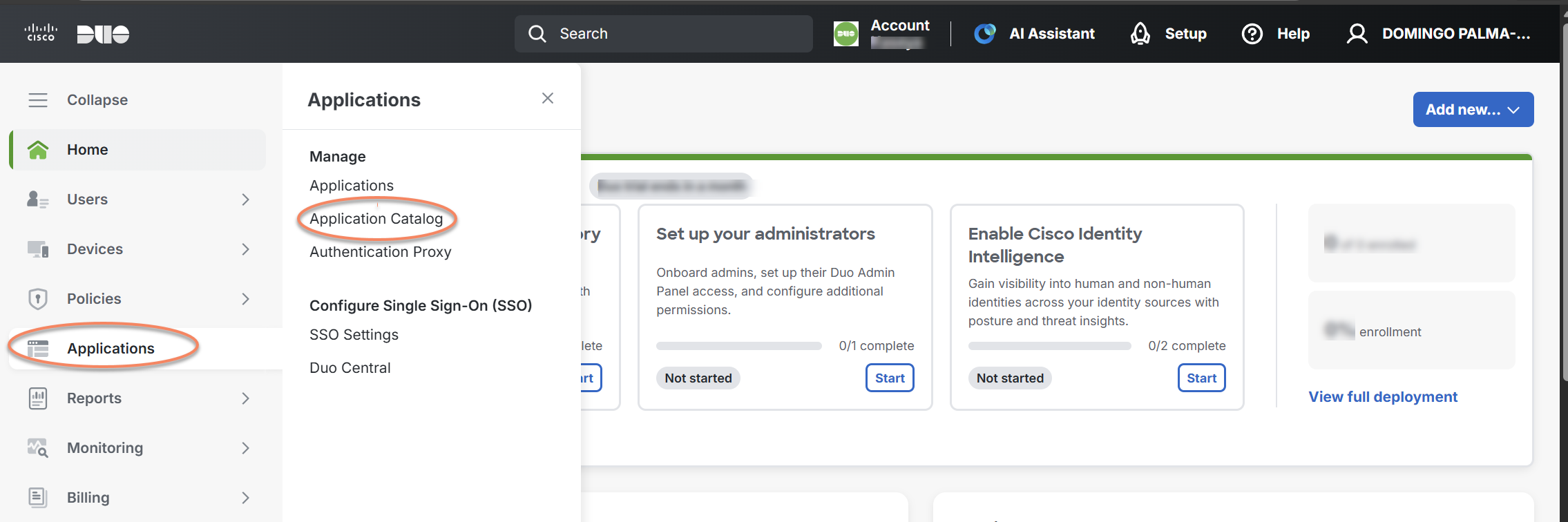
3. Locate Admin API in the catalog and click + Add to create the application.
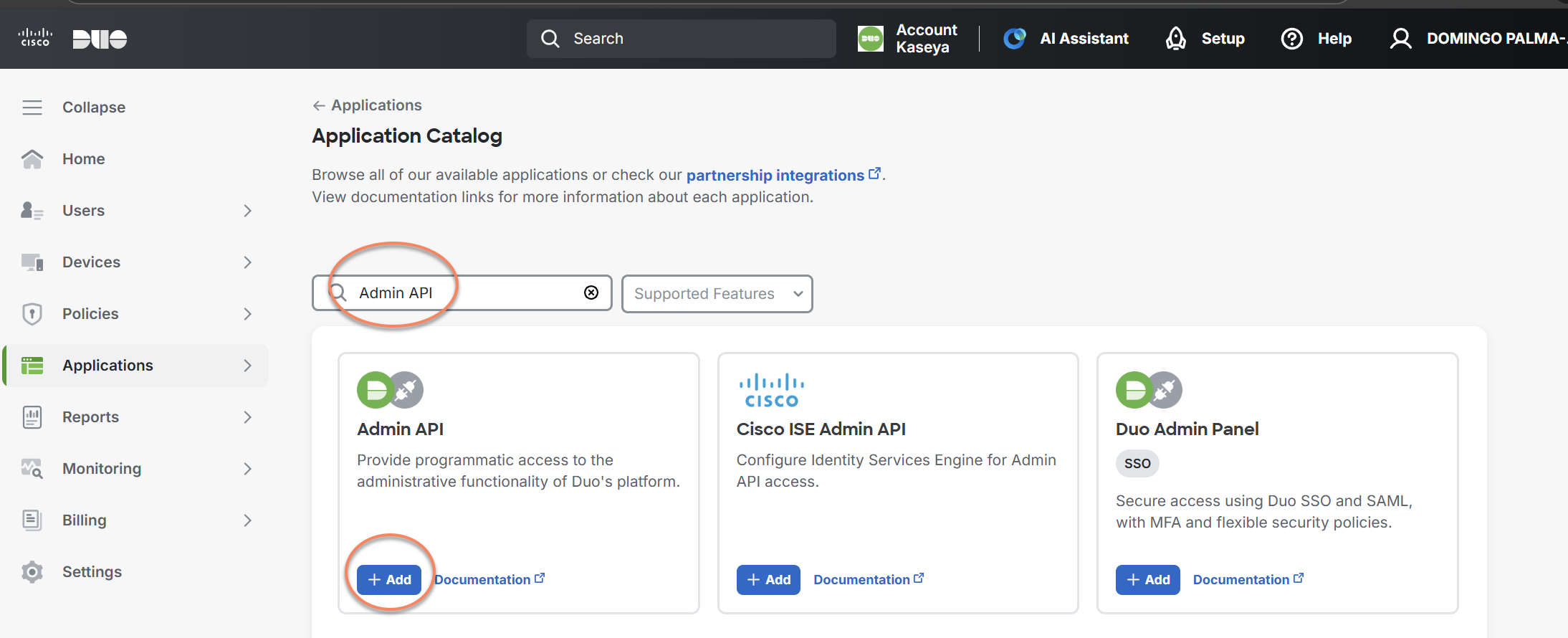
4. Once the application is created, open its settings page.
You will see the following values:
-
Integration key
-
Secret key
-
API hostname
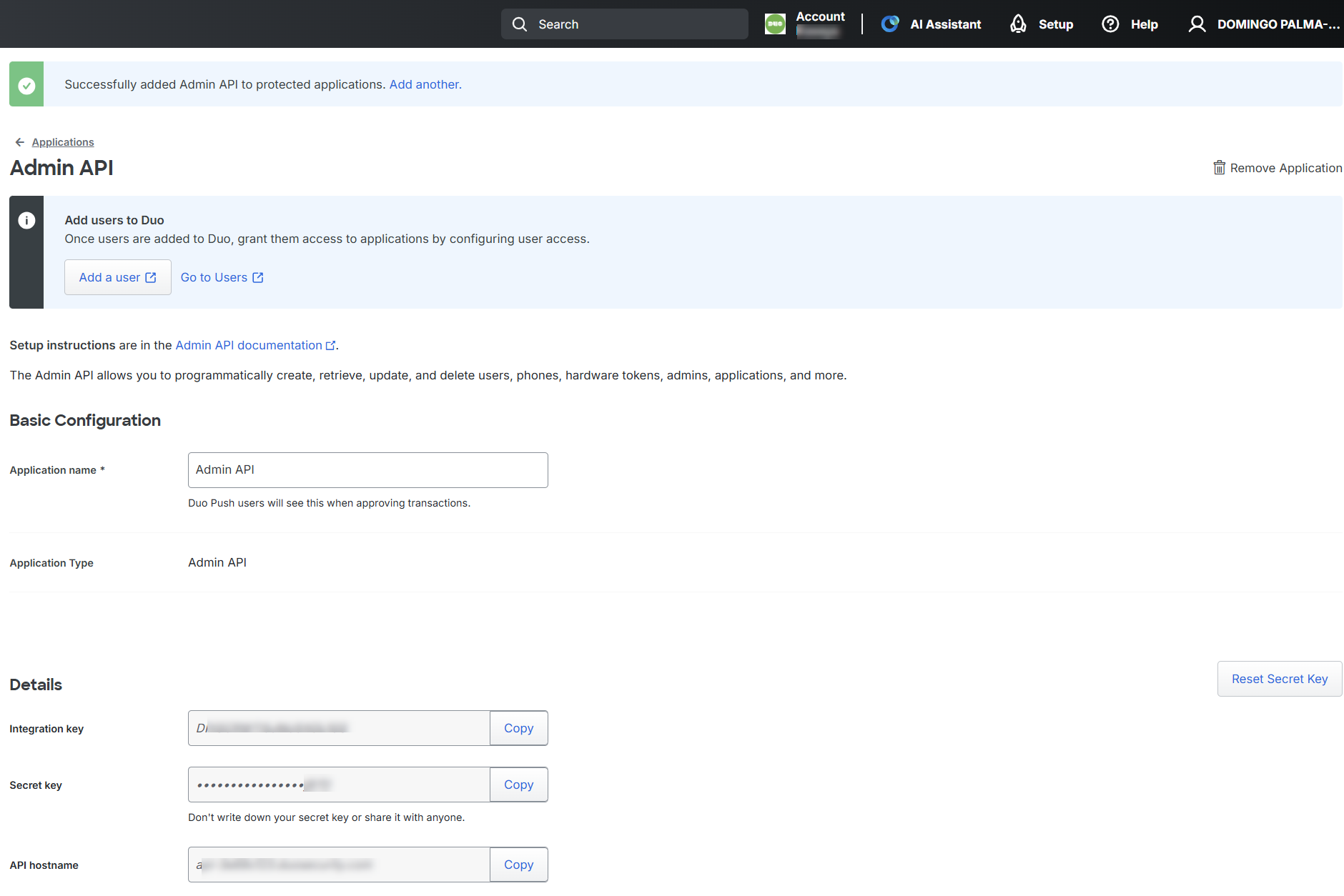
These values are required to complete the connection in SaaS Alerts.
Important: Treat your secret key like a password. The security of your Duo application depends on it. Secure it as you would any sensitive credential. Do not share it with unauthorized users or send it via email or chat. If the secret key is exposed, regenerate it immediately in the Duo Admin Panel.
Configuring Admin API permissions
After creating the Admin API application, configure the permissions it requires.
-
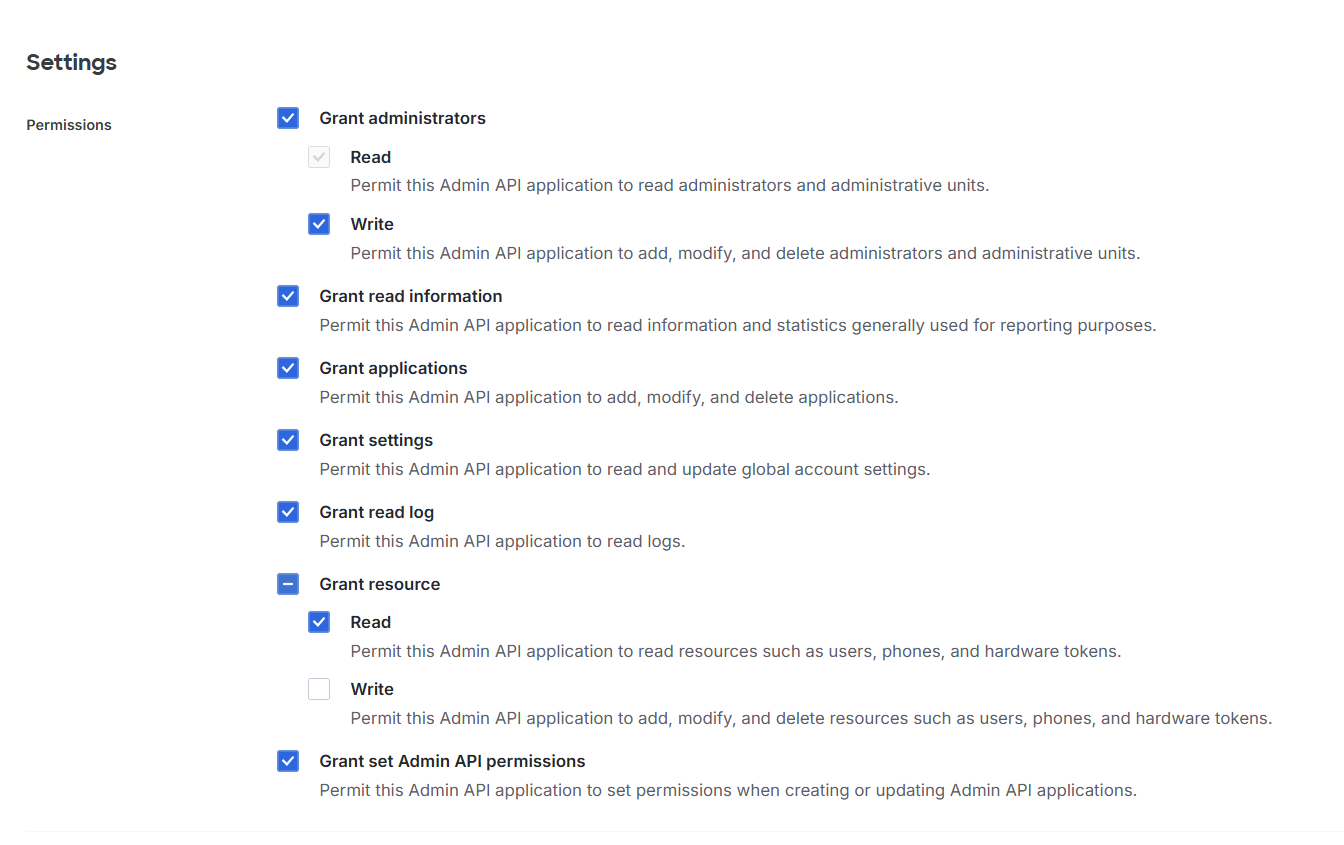
Review the available Admin API permissions on the application settings page.
-
Enable the permissions required to read authentication, user, and application data.
-
Refer to Duo’s API endpoint documentation to understand which permissions are required for the data you want to monitor.
(Optional) Restricting API access by network
You can optionally restrict which IP addresses or ranges are allowed to access the Admin API application.
1. In the Admin API application settings, locate Networks for API Access.
2. Specify the allowed IP addresses or CIDR ranges.
If no networks are specified, the Admin API application can be accessed from any IP address.
Security note: Duo performs IP restrictions after validating the authentication signature.If you see blocked Admin API requests from unexpected IP addresses, this may indicate that the secret key has been compromised.
3. Save the application after completing your configuration.
Creating users and administrators in Duo (prerequisites)
Before Duo activity can be monitored, ensure that:
-
Users are created and assigned applications for Duo MFA
-
Administrative users exist for ongoing Duo management
-
Creating administrative users in Duo
To create or manage administrators, you must have the Owner role.
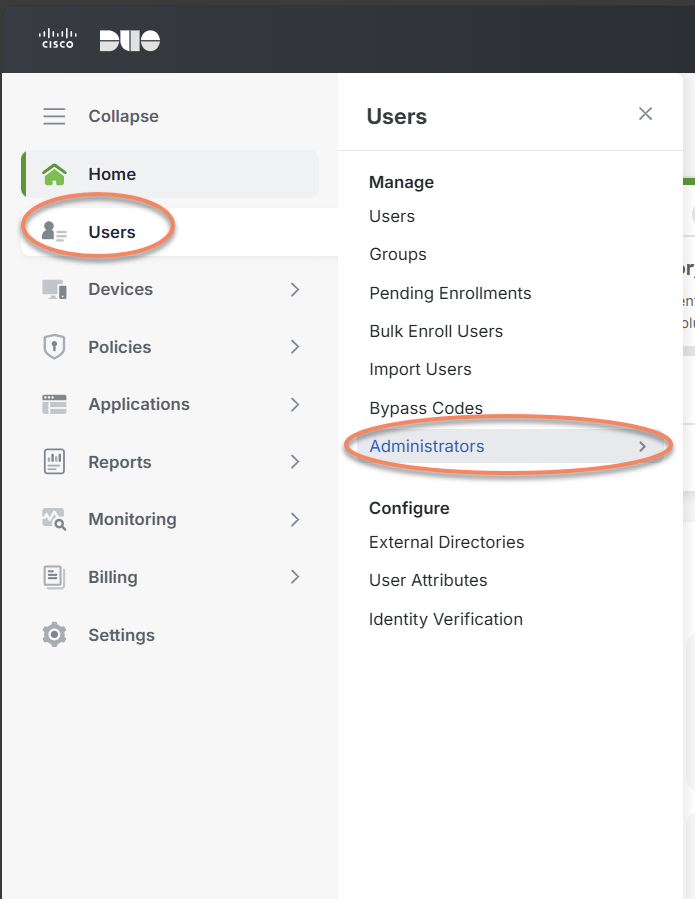
1. In the Duo Admin Panel, go to > Administrators > Administrators
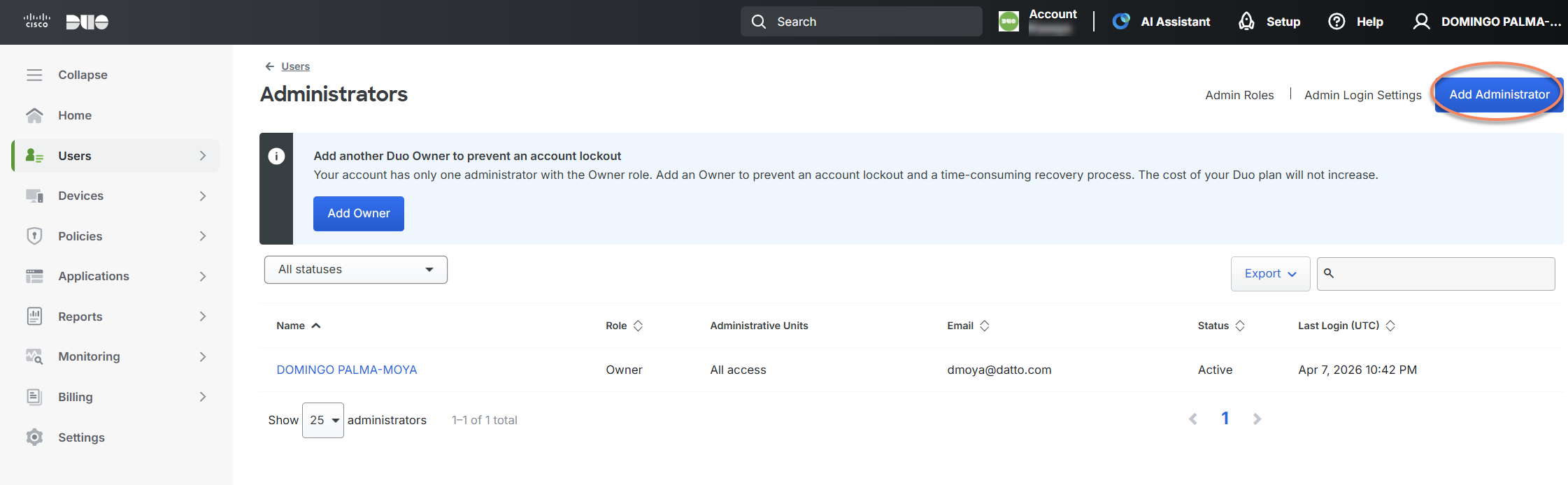
2. Click Add Administrator.
3. Enter the administrator’s name and email address (the email address is used as the username and must be unique).
4. Select the appropriate role (Administrator, User Manager, etc.).
Optionally:
-
Add a phone number for secondary authentication
-
Assign hardware tokens (passkeys can be added later)
-
Leave Automatically send an account setup link via email enabled, or send the link manually later
5. Click Add Administrator.
The new administrator will receive an activation email. Their status remains Pending Activation until setup is completed, after which it becomes Active.
Creating the connection in SaaS Alerts
Once the Duo Admin API is configured, you can connect Duo in SaaS Alerts.
To connect Duo in SaaS Alerts:
1. In SaaS Alerts, open the side navigation menu.
2. Click Organizations.
3. Locate the organization you want to connect Duo to.
4. Click the Edit Organization (pencil) icon.
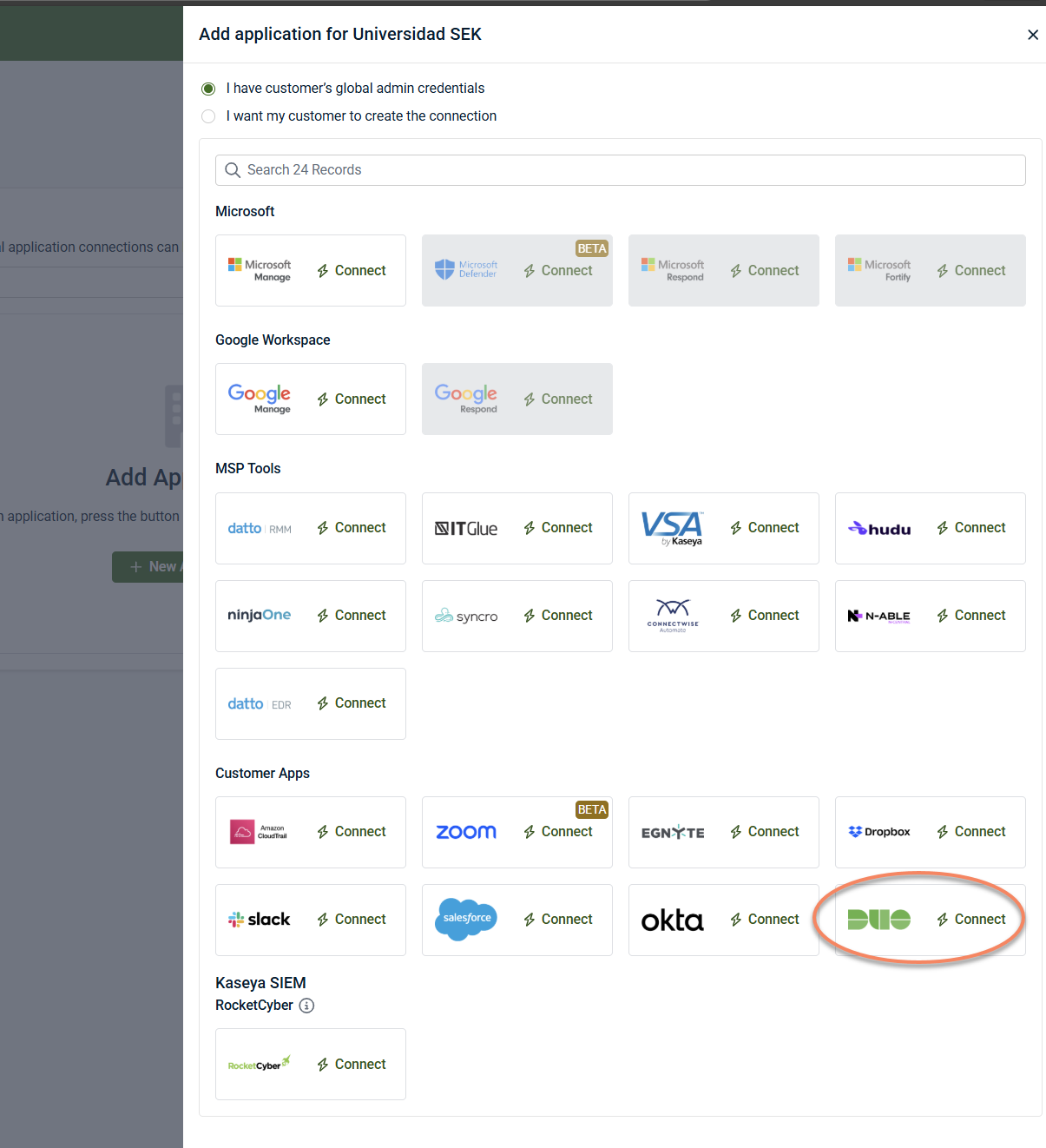
5. Click New Application.
6. Select the Duo tile.
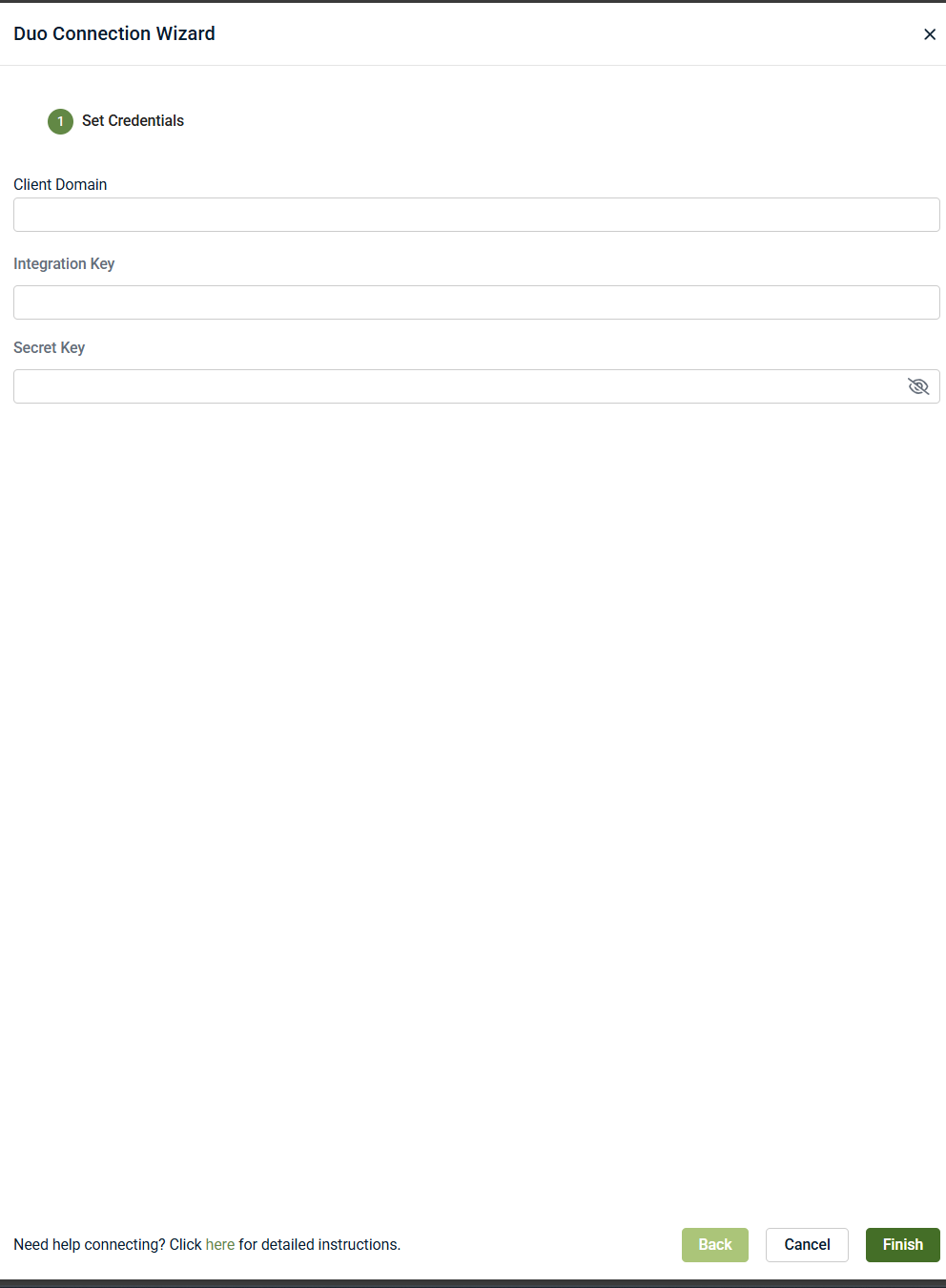
7. Enter the required fields using the values from the Duo Admin API application.
-
Client Domain: This is the Duo API hostname preceded by https://. Example: https://api-3e89cf23.duosecurity.com
-
Integration Key: Paste your Duo Integration Key.
-
Secret Key: Paste Your Duo Secret Key.
8. Click Finish.
Monitored events
After Duo is connected, SaaS Alerts currently monitors a limited set of Duo activity events, including:
-
IAM Event – Authentication Success
-
Application access via SAML
These events are sourced from specific Duo Admin API endpoints available during testing and are subject to the Duo licensing level in use.
At this time:
-
Authentication failures, policy changes, device enrollments, and administrative actions are not monitored
-
Available events are consistent across partners on the same licensing tier
Additional event types may become available in future releases as:
-
Additional Duo Admin API endpoints are supported
-
Licensing availability expands
-
The integration moves out of beta
Limitations and notes
-
The Duo integration is currently in beta
-
PSA ticketing is not supported for Duo events at this time
-
Event availability and coverage may evolve as the integration matures
-
SaaS Alerts does not manage or configure Duo policies, users, or enforcement settings


