Customizing file events trigger count
File events trigger
If you are looking to reduce the number of file events alerts notifications or if you are not receiving as many file events alerts. With SaaS Alerts, you are able to increase or decrease the count threshold of the events depending on your customer's needs and behavior. This will reduce or increase the number of alert notifications being triggered. You have the option to customize the file events trigger for the entire organization or a specific user.
File events trigger count for an organization
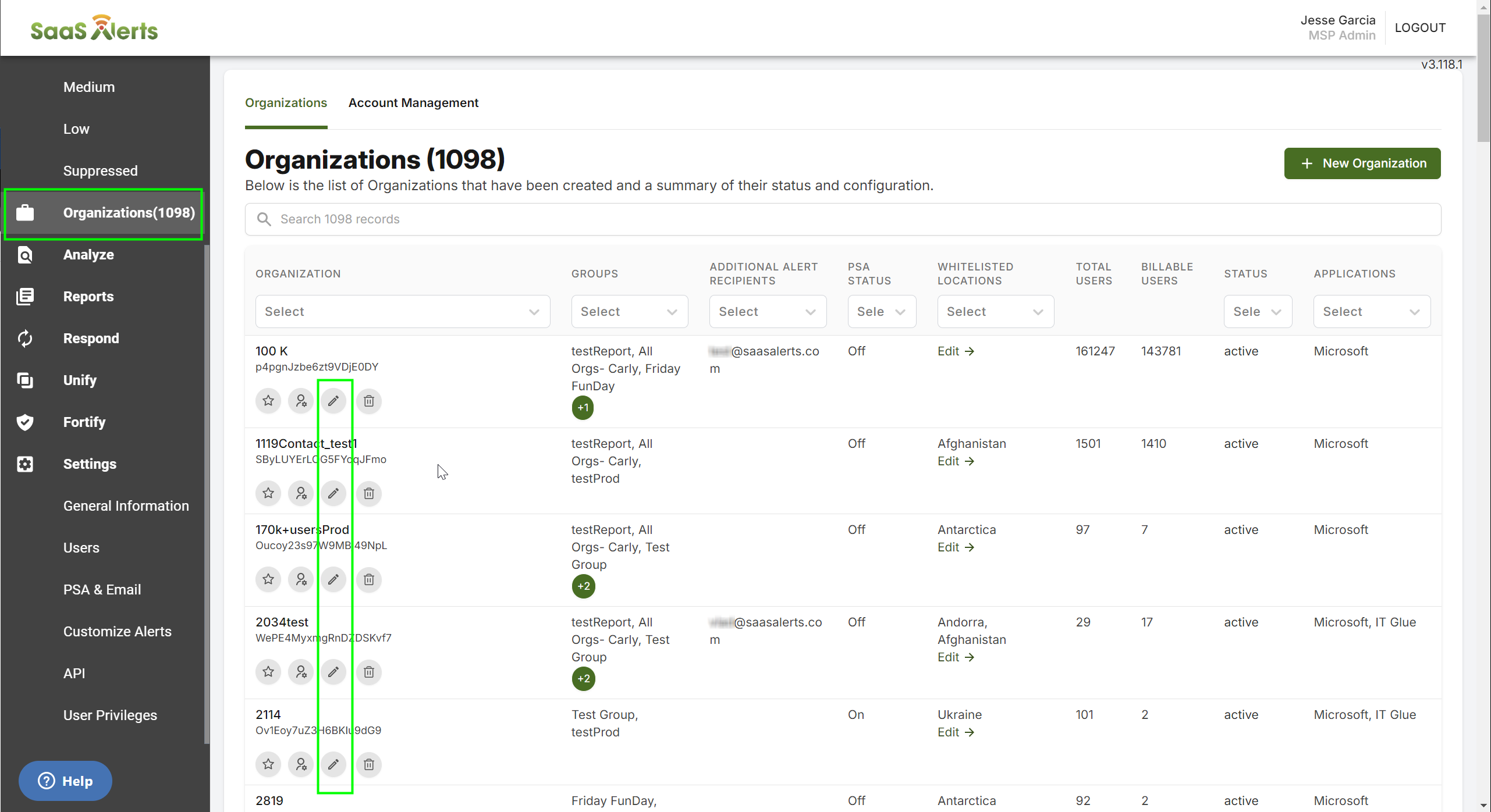
You can change the frequency how these events are triggered from the Organizations page as follows:
- Click the pencil icon next to the customer you would like to update.
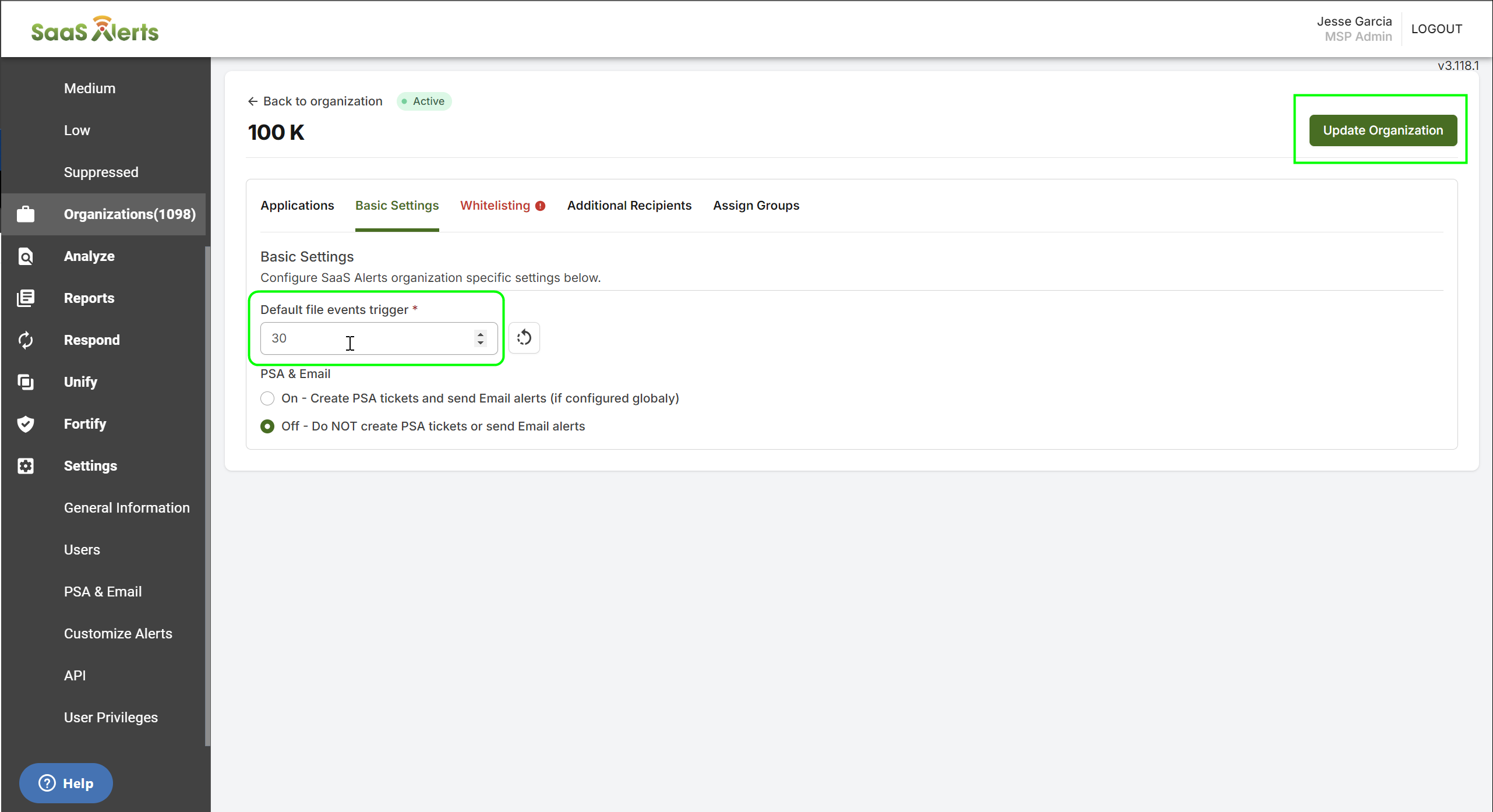
- Click the Basic Settings tab.
- Adjust the count for the Default file events trigger.
- Click Update Organization to save.
File events trigger count for selected users
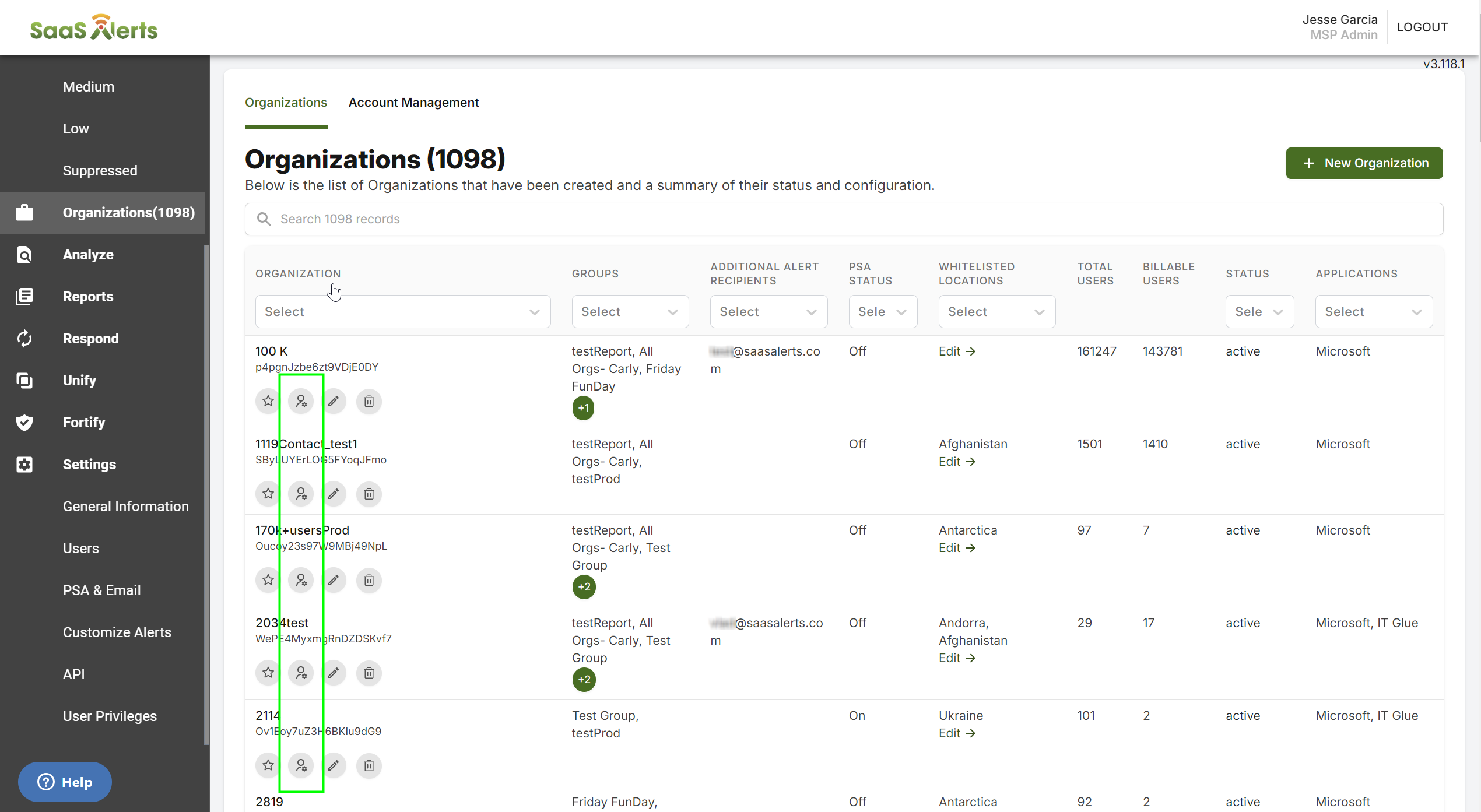
You can change the frequency how these events are triggered from the Organizations page as follows:
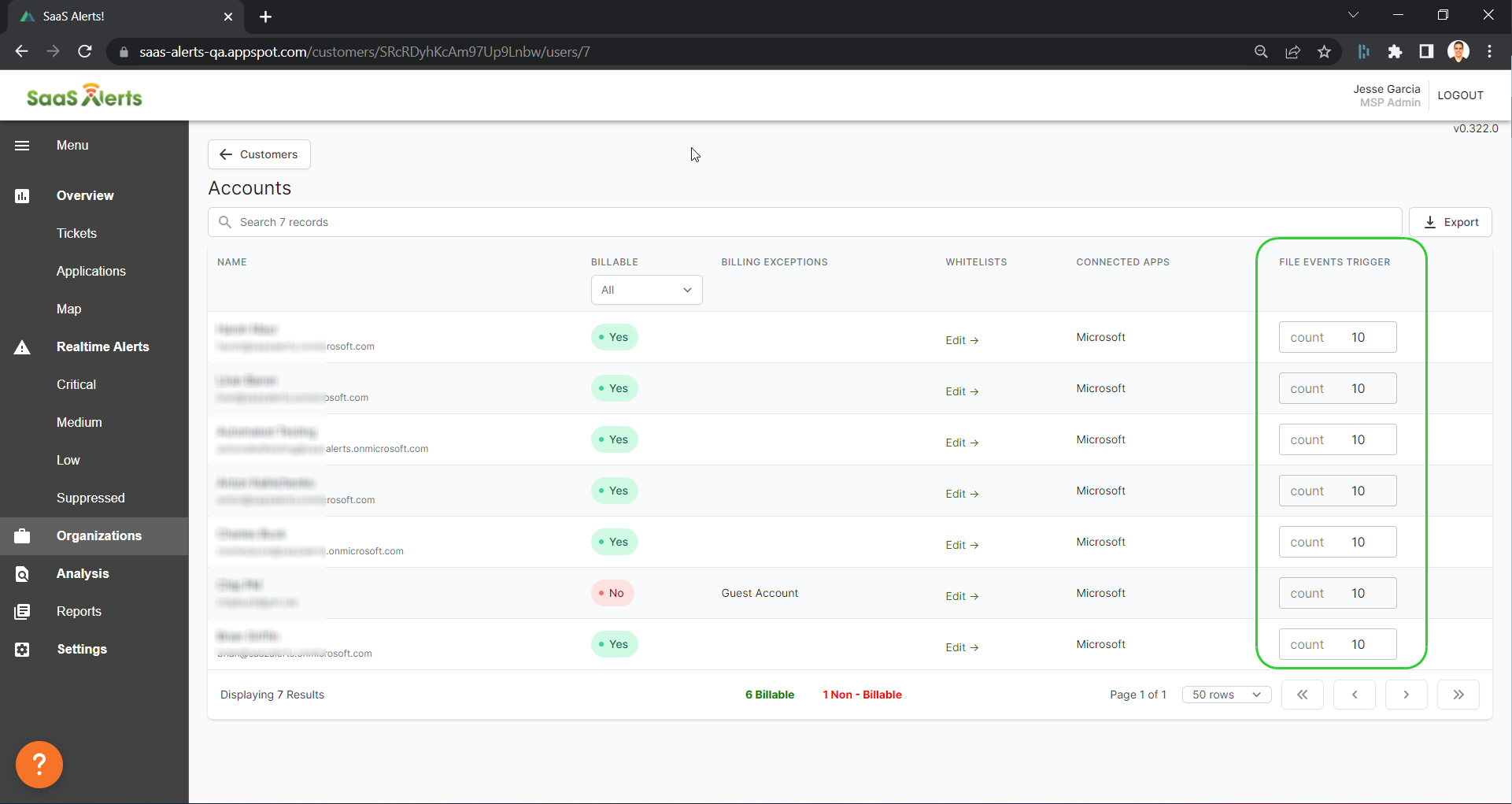
- Click the multi-user icon next to the customer to open the Accounts page.
- Edit the frequency under File Events Triggers.
The higher the count the fewer alerts you will receive and the lower the count the more alerts will be triggered.
The count is set to 30 by default.
The time span for file exceed events is reset every hour.


